
Updated September 2026
Hardware Wallet Comparison 2026: 23 Wallets Scored
This is my full hardware wallet comparison list. I buy and test these myself. Rankings are not sold. Each wallet is scored on four aspects: security, ease of use, compatibility, and value. The overall score is then lastly an editorial call after hands-on testing and overall placement in regards to all other wallets.
Top 3 Picks
Ranked by testing security, ease of use, compatibility, and value.
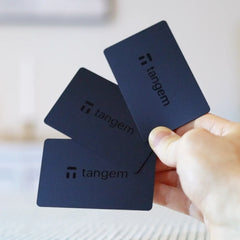
Tangem wallet
Best for: Beginners + seedless
$54.90
20% off via link
Buy Tangem wallet → Read full review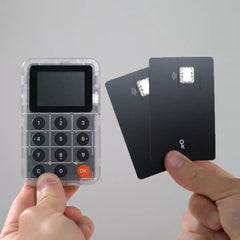
Keycard Shell
Best for: Open-source + air-gapped
$135
Code nordic · 5% off
Buy Keycard Shell → Read full reviewBest by use case
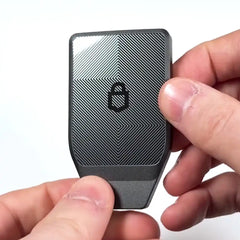
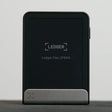
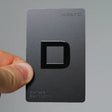
- Best overall / most verifiable: Trezor Safe 7, triple-chip, fully open source, Bluetooth and iPhone support
- Best for beginners / no seed phrase: Tangem, tap-to-sign, seedless, $54.90
- Best open-source air-gap: Keycard Shell, open-source QR signing at $135
- Best Bitcoin-only: Blockstream Jade Plus, fully open source, USB and Bluetooth and QR
- Best budget open source: Trezor Safe 3, cheapest open-source wallet on this list at $79
- Best Ledger to buy: Ledger Nano Gen 5, best value in the Ledger range at $179
Comparison list
Wallets are scored on: Security · Ease of Use · Compatibility · Value.How we score ↓
▸ How we score
Security
Looking at things like: secure element chip, air-gap approach, open-source firmware and hardware, backup model, and company track record. For example: the Tangem wallet scores lower than Trezor Safe 7 here not because it is unsafe in practice, but because the firmware on the secure chip is not fully auditable from outside. The seedless model removes seed-phrase user error as a risk, but verifiability is a separate dimension.
Ease of Use
Looking at: initial setup time, daily signing workflow, screen vs phone-only operation, iPhone and Android compatibility, and whether a desktop computer is required for basic use. A wallet that works entirely from your phone with no cables scores higher here than one that requires desktop software for every transaction.
Compatibility
Looking at: number of supported chains and tokens, desktop and mobile support, and integration with third-party tools: MetaMask, Sparrow, BlueWallet, WalletConnect. Ledger scores high on compatibility because it works with almost everything. A Bitcoin-only wallet like Blockstream Jade Plus scores lower here by design, not by weakness.
Value
Looking at what you actually get for the price. For example: Ledger Stax (Value 65) costs $399 and gets a unique E Ink screen, not a better security model than the $179 Nano Gen 5. Another example: OneKey Classic 1S Pure (Value 96) gives you full open-source hardware, a secure element, and Bluetooth at $79.
Two examples: Trezor Safe 7 scores 95 because of triple-chip design, full open source, iPhone Bluetooth, and 8,000+ coins, offset by the $249 price (Value 82). Ledger Stax scores 76 because it shares the same Ledger stack as cheaper models, Compatibility is 96, but Value is 65 at $399. Full testing details on the about page.
← Swipe to compare →
| Wallet | Score | Backup | Platform | Price | Connection | Open Source | Best For | Buy |
|---|---|---|---|---|---|---|---|---|
|
95
|
Seed phrase | Mobile + Desktop | $249 | USB-C + Bluetooth | Yes | Max security + open source | Buy Now → |
|
92
|
Seedless | Mobile only | $54.90 | NFC | Partial | Beginners + seedless | Buy Now →Discount code: NORDIC | |
|
89
|
BIP-39 seed phrase | Mobile + Desktop | $135 | Air-gapped QR | Yes | Open-source + air-gapped | Buy Now →Discount code: nordic | |
|
88
|
Seed phrase | Mobile + Desktop | $149 | USB-C + Bluetooth + QR | Yes | Bitcoin-only + open source | Buy Now →Discount code: NORDIC | |
|
88
|
Seed Phrase + Seedcard | Mobile + Desktop | $299 | USB-C + Bluetooth + NFC + QR (air-gap) | Yes | Premium touchscreen + optional air-gap | Buy Now → | |
|
87
|
Seed phrase | Mobile + Desktop | $79 | USB-C + Bluetooth | Yes | Open source + battery-free | Buy Now → | |
|
87
|
Seedless | Mobile only | $69.99 | NFC | No | Beginners + card wallet | Buy Now → | |
|
86
|
Seed phrase | Mobile only | $79 | NFC | No | Beginners + portable | Buy Now →Discount code: nordic | |
|
86
|
Seed phrase | Desktop + Android | $79 | USB-C | Yes | Budget + open source | Buy Now → | |
|
86
|
Seed phrase | Mobile + Desktop | $69.99 | Bluetooth | Partial | Budget + banking features | Buy Now →Discount code: nordic@SFP | |
|
85
|
Seed phrase | Desktop + Android | $169 | USB-C | Yes | Open source + touchscreen | Buy Now → | |
|
85
|
Seed phrase | Mobile + Desktop | $179 | USB-C + Bluetooth + NFC | No | Ledger ecosystem + value | Buy Now → | |
|
83
|
Seedless | Mobile only | $135 | NFC | Partial | Seedless + unique backup | Buy Now →Discount code: nordic | |
|
81
|
Seed phrase | Mobile + Desktop | $249 | USB-C + Bluetooth + NFC | No | Premium Ledger | Buy Now → | |
|
81
|
24-word seed | Windows / Mac / iOS / Android | $99 | Bluetooth 5 + USB-C | Partial | Large touchscreen + Bluetooth, wide token coverage | Buy Now → | |
|
85
|
24-word seed | iOS / Android | $169 | QR codes only | Partial | Air-gap signing with a large screen | Buy Now →Discount code: NORDIC | |
|
80
|
Seed phrase + Shamir (SLIP-39) | Desktop + Mobile | $149 | Air-gapped QR + microSD | Yes | Air-gapped MetaMask + Sparrow | Buy Now → | |
|
79
|
24-word seed phrase | Mobile only (iOS / Android) | $89.99 | QR codes only. USB-C for charging and firmware updates. | Partial | Air-gapped QR signing with wide SafePal app features | ||
|
78
|
Shamir backup | Desktop + Android | $99 | USB-C + NFC | Yes | Advanced + Shamir backup | Buy Now →Discount code: NORDICCRYPTO | |
|
76
|
Seed phrase | Mobile + Desktop | $399 | USB-C + Bluetooth + NFC | No | Design-focused + NFT display | Buy Now → | |
|
72
|
Seed phrase | Mobile + Desktop | $149 | USB-C + Bluetooth | No | Physical buttons | Buy Now → | |
|
--
|
R3covery card | Mobile only | $53 | NFC tap only | Partial | Beginners + mobile | Buy Now → | |
|
--
|
Seed phrase | Mobile + Desktop | $109 | Bluetooth + USB-C | No | XRP + fingerprint screen | Buy Now → |
No wallets match this filter.
Best for: Max security + open source
Full specs ▾
Best for: Beginners + seedless
Full specs ▾
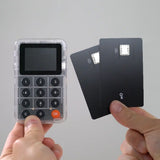
Best for: Open-source + air-gapped
Full specs ▾
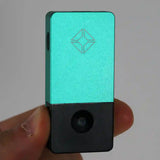
Best for: Bitcoin-only + open source
Full specs ▾
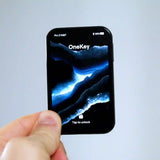
Best for: Premium touchscreen + optional air-gap
Full specs ▾
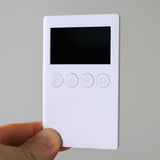
Best for: Open source + battery-free
Full specs ▾
Best for: Beginners + card wallet
Full specs ▾
Best for: Beginners + portable
Full specs ▾
Best for: Budget + open source
Full specs ▾
Best for: Budget + banking features
Full specs ▾
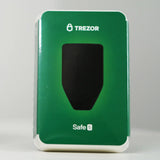
Best for: Open source + touchscreen
Full specs ▾
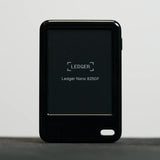
Best for: Ledger ecosystem + value
Full specs ▾
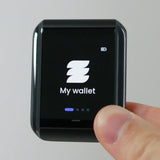
Best for: Seedless + unique backup
Full specs ▾
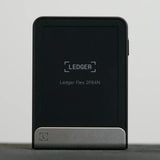
Best for: Premium Ledger
Full specs ▾
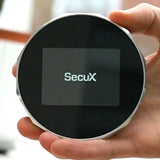
Best for: Large touchscreen + Bluetooth, wide token coverage
Full specs ▾
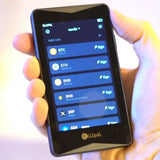
Best for: Air-gap signing with a large screen
Full specs ▾
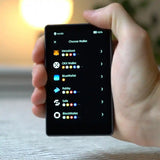
Best for: Air-gapped MetaMask + Sparrow
Full specs ▾
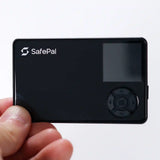
Best for: Air-gapped QR signing with wide SafePal app features
Full specs ▾
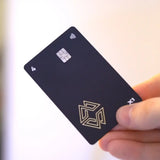
Best for: Advanced + Shamir backup
Full specs ▾
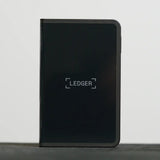
Best for: Design-focused + NFT display
Full specs ▾
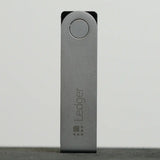
Best for: Physical buttons
Full specs ▾
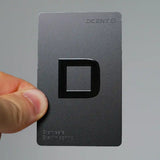
Best for: Beginners + mobile
Full specs ▾
Best for: XRP + fingerprint screen
Full specs ▾
This page contains affiliate links. Rankings are independent — no wallet pays to be included or ranked higher.
Wallet vs Wallet
Tangem vs Ellipal X Card: Which Card Wallet is Best?
August 2026
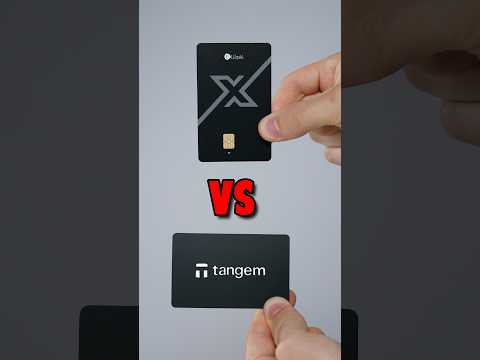
Both are card wallets but they work differently. Tangem is seedless with NFC tap-to-sign. Ellipal X Card is QR air-gapped with a standard seed phrase. For the simplest possible setup, Tangem. For air-gap signing, Ellipal X Card. Full write-up
Tangem vs Trezor Safe 7: Which Hardware Wallet Should You Buy?
July 2026
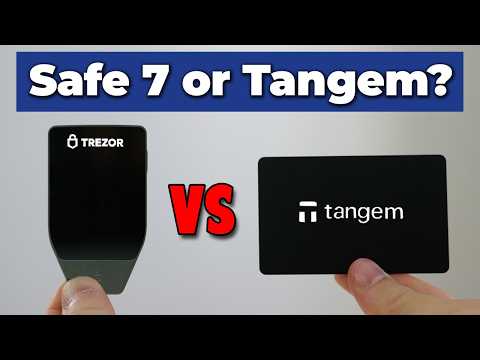
Two different philosophies of safety. Tangem removes seed-phrase risk through its seedless model. Safe 7 gives you full verifiability and the strongest security architecture on this list. If you are comparing these two specifically, that trade-off is the whole conversation. Full write-up
Ryder One vs Ledger: Which is the Better Hardware Wallet?
June 2026
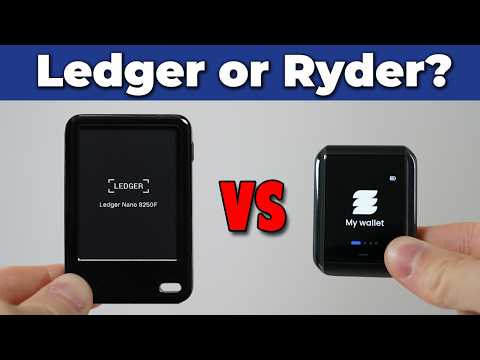
Ryder One is seedless and NFC-only, Ledger is a full ecosystem wallet with screen and Bluetooth. Want to avoid seed phrases and only use your phone? Ryder One. For desktop, DeFi, and wider coin support, newer Ledger models are stronger. Full write-up
Also: Tangem vs Ledger vs Trezor · Best Trezor 2026 · Best Ledger 2026
In-Depth Wallet Reviews
A summary of each wallet we've reviewed: what it does well, where it falls short, and who it is for.
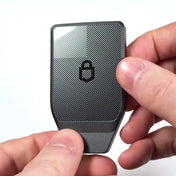
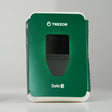
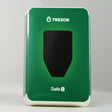
The Trezor Safe 7 is our highest-scoring hardware wallet, combining a large color touchscreen, Bluetooth, and fully open-source firmware into one device. It supports both iPhone and Android via Trezor Suite and has broader coin support than any competing open-source wallet. The open-source model means anyone can audit the code. Unlike Ledger, you do not have to take their word for it. If you want the most secure, most verifiable wallet available without giving up usability, this is the one.
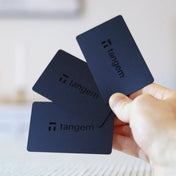
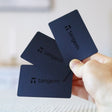
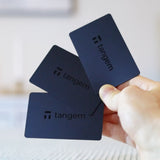
Tangem takes a completely different approach to hardware wallets. Your wallet is a set of NFC tap cards with no seed phrase to manage or lose. At $54.90 it is the cheapest option we have tested and by far the easiest to set up, making it the top pick for anyone new to crypto. The seedless design removes the biggest risk for beginners: losing a 24-word recovery phrase. The trade-offs are partial open source and limited advanced features, but for straightforward self-custody of everyday holdings it is hard to beat.
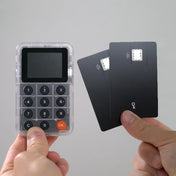
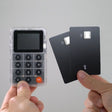
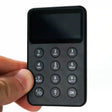
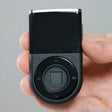
The Keycard Shell takes a different approach to hardware wallet design. The security chip lives on a small smart card that slots into a separate Shell device with a screen and built-in camera. The Shell itself stores nothing sensitive: swap in a Keycard when you need to sign, scan QR codes to communicate, and your keys never touch anything connected to the internet. It is fully open-source, genuinely air-gapped, and works with software wallets you probably already use like MetaMask, Rabby, and Sparrow. The main limitation is no native Solana support yet, and the QR workflow takes a few sessions to feel natural. At $135 for the starter kit with 5% off using code nordic, it is one of the more interesting options if you are primarily on Ethereum or Bitcoin.
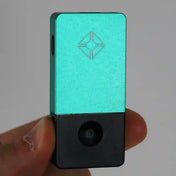
Blockstream Jade Plus is the best Bitcoin-only hardware wallet on this list and one of the few at any price with fully open-source firmware and hardware design. It connects via USB-C, Bluetooth, and QR code air-gap, all three. The ORACLE server dependency for the default PIN unlock is the main thing to understand before buying. Works well with Sparrow and the Jade app. $149 with discount code NORDIC. Security 93 | Ease of Use 78 | Compatibility 95 | Value 88.
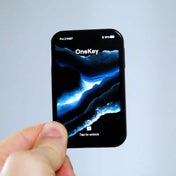
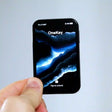
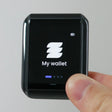
OneKey's flagship: 3.54-inch OLED, fingerprint unlock, optional QR air-gap, Bluetooth/USB-C/NFC, open-source firmware, and Seedcard backup in the box.
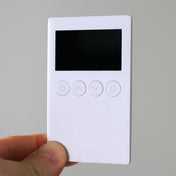
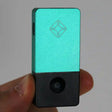
The OneKey Classic 1S Pure is fully open source: hardware and firmware. One of the strongest value plays on this list at $79. It runs without a battery, powered by USB-C during use, which means no charging and no battery degradation over time. The EAL6+ secure element is a step up for this price. Connects via USB-C or Bluetooth and works on mobile and desktop. Referral link at onekey.so/r/nordic with code nordic. Security 90 | Ease of Use 90 | Compatibility 92 | Value 96.
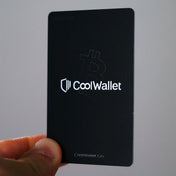
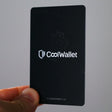
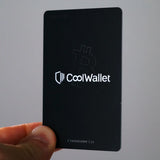
CoolWallet GO is a card-format wallet that fits in your actual wallet. It is seedless: backup is handled via the CoolWallet app and account recovery, not a written seed phrase. Pairing is NFC only, mobile only. No computer support. The appeal is the form factor: credit-card sized, lightweight, and discreet. If you want to hold crypto on a card you carry daily, nothing else on this list is the same shape. Security 88 | Ease of Use 92 | Compatibility 78 | Value 90.
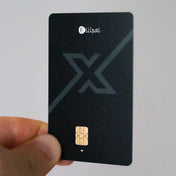
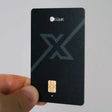
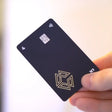
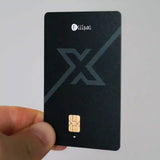
The Ellipal X Card is the budget entry into card-format hardware wallets. It connects via NFC to mobile only, no desktop, no cable. Backup uses a seed phrase rather than seedless recovery, so you still need to manage a recovery phrase. At $79 with discount code nordic it undercuts most of the table on price. The compatibility score reflects the mobile-only limitation, but for daily phone users it is a capable wallet. Security 88 | Ease of Use 93 | Compatibility 82 | Value 94.
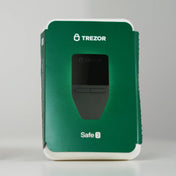
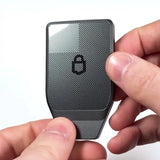
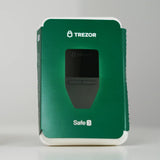
The Trezor Safe 3 is the most affordable fully open-source hardware wallet we have tested at $79. There is no touchscreen. Navigation is via physical buttons, but the security model is identical to the pricier Safe 5 and the coin support is just as broad. Trezor has a strong track record, and open-source means the firmware is publicly auditable rather than just promised secure. If you want solid open-source security without spending $169+, this is the straightforward choice.
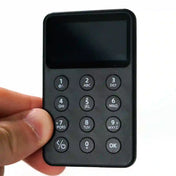
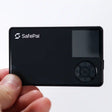
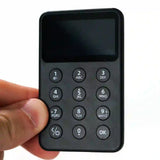
SafePal X1 is the most feature-rich wallet under $70 on this list. Connects via Bluetooth and works on both mobile and desktop. The SafePal app covers over 200 blockchains including full DeFi access, staking, and a built-in exchange. Backup uses a standard seed phrase. Firmware is partially proprietary. At $69.99 with code nordic@SFP it is a strong pick for anyone who wants a wide-chain Bluetooth wallet without the Ledger price. Security 85 | Ease of Use 88 | Compatibility 90 | Value 95.
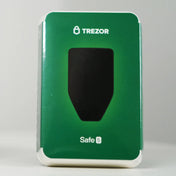
The Trezor Safe 5 is the standout mid-range option with a large color touchscreen, fully open-source firmware, and solid overall security at $169. It performs well across all four of our scoring categories and Trezor Suite is one of the most polished apps in the hardware wallet space. iOS support is limited without workarounds, which is worth knowing if you are on iPhone. For security-conscious users who want a modern touchscreen wallet with fully auditable code, this is the strongest choice under $200.
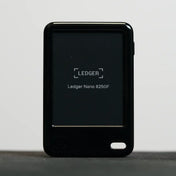
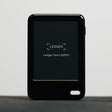
The Ledger Nano Gen 5 offers USB-C, Bluetooth, and NFC at $179, giving it the most flexible connectivity of any wallet here. It integrates with Ledger Live and supports thousands of coins and tokens across virtually every network, more than any other wallet in this comparison. The firmware is closed source, meaning you have to trust Ledger rather than verify it yourself, and Ledger has had multiple high-profile data incidents over the years. If maximum coin and DeFi compatibility matters more to you than open-source transparency, this is the pick.
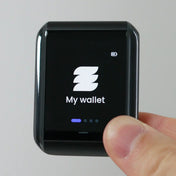
The Ryder One is a mobile-first hardware wallet that uses NFC tap-to-phone signing and a seedless backup system called TapSafe. There is no seed phrase. Your key is split across multiple physical devices, so losing one does not mean losing everything. It works well for iPhone users who want a clean, wireless experience without managing recovery words. The main limitation is that it only works via mobile, so desktop signing and compatibility with most software wallets is off the table.
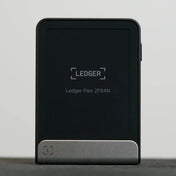
The Ledger Flex is Ledger's mid-tier premium device with a sharp E Ink touchscreen protected by Gorilla Glass, a noticeable step up in build quality from the Nano Gen 5. The security chip and firmware are identical to the Nano Gen 5, so the $249 price is effectively paying for a better screen and more durable form factor. It connects via USB-C, Bluetooth, and NFC and works across the full Ledger ecosystem. A solid device, but hard to recommend over the Nano Gen 5 unless the screen quality is specifically what you are after.
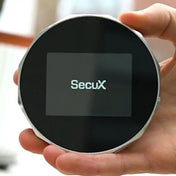
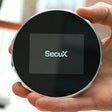
SecuX V20 has the largest touchscreen of any wallet on this list: a 2.8-inch color display. Connects via Bluetooth 5 and USB-C and supports Windows, Mac, iOS, and Android. Coverage extends to over 1,000 tokens. At $99 it is a mid-range option for anyone who wants a big screen and wide Bluetooth compatibility. The firmware is partially proprietary and the company track record is shorter than Trezor or Ledger. Security 79 | Ease of Use 76 | Compatibility 91 | Value 80.
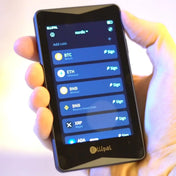
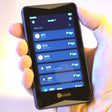
The ELLIPAL Titan 2.0 is the air-gap wallet with the biggest screen on this list. All signing happens via QR code with zero wired or wireless radio connection. It runs iOS and Android through the ELLIPAL app with support for over 10,000 tokens. The body is sealed metal with no ports of any kind. The main trade-off is the QR-only workflow, which is slower for frequent signers. Use code NORDIC for a discount. Security 90 | Ease of Use 88 | Compatibility 88 | Value 84.
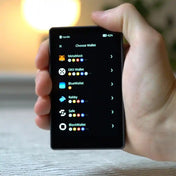
Keystone 3 Pro is the air-gap QR wallet that integrates directly into MetaMask desktop, Sparrow Bitcoin wallet, and a range of other desktop tools. All signing is QR-only, no radios. It also supports Shamir SLIP-39 backup, which splits your recovery phrase across multiple shares. Setup is more involved than most wallets here, and the MetaMask QR workflow requires practice. At $149 it targets users already comfortable with Sparrow or MetaMask advanced setups. Security 88 | Ease of Use 78 | Compatibility 84 | Value 79.
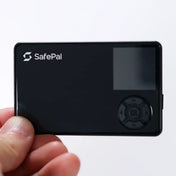
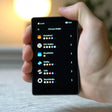
SafePal S1 Pro is a QR-only air-gap wallet in a metal and glass body. No Bluetooth, no Wi-Fi, no NFC: no radios of any kind. Signing happens entirely via QR code through the SafePal app, which covers over 200 chains. The 1.3-inch D-pad screen is the main practical limitation for a QR wallet. At $89.99 there is no affiliate link on this site. If you want an air-gap wallet with a larger screen, consider the Keystone 3 Pro or ELLIPAL Titan 2.0. Security 80 | Ease of Use 82 | Compatibility 90 | Value 78.
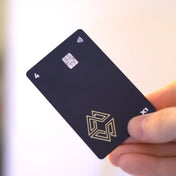
The Cypherock X1 uses Shamir Secret Sharing to split your private key across the X1 device and four X-Cards. Any two are required to sign a transaction, eliminating a single point of failure. The hardware is fully open source, and the approach works well for users who want distributed key security without a seed phrase. The downside is real complexity: setup takes longer, the daily workflow is less intuitive, and coin support is narrower than Ledger or Trezor. Advanced users who have done their research will appreciate it; most people will find it more complicated than they need.
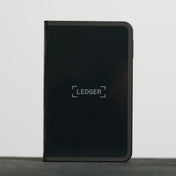
The Ledger Stax is Ledger's flagship device with a large curved E Ink display, Qi wireless charging, and a premium build that can show NFT artwork on the lock screen. At $399 it is the most expensive wallet in this comparison, yet it shares the exact same security model and firmware as the $179 Nano Gen 5. The Stax makes sense if you want the best-looking hardware wallet and are fully committed to the Ledger ecosystem. For most users, the $220 premium over the Nano Gen 5 is very hard to justify on security or feature grounds alone.
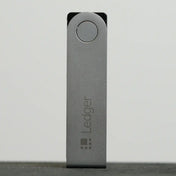
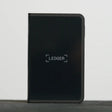
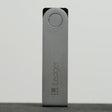
The Ledger Nano X is Ledger's previous flagship with Bluetooth and USB-C connectivity and access to the full Ledger Live ecosystem at around $125. It still works well and coin support is identical to newer Ledger models, but the Nano Gen 5 now offers NFC, a better build, and a newer design for $54 more. If you find the Nano X at a significant discount it is worth considering, but buying new at full price does not make much sense when the Gen 5 exists. Best suited for existing Nano X owners who are happy with what they have.
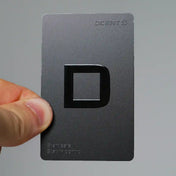
Heads up: DCENT's software wallet app was recently hacked. DCENT says their hardware wallets were not affected by the breach. Recommendation paused for now while the situation develops.
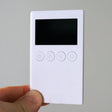
The DCENT S is the easiest hardware wallet on this list to use day-to-day. It runs on NFC-only tap with no cables or desktop software needed. Backup uses a recovery card rather than a written seed phrase, which lowers the risk of seed-phrase mishandling. At $53 it is hard to beat for mobile-first users. The trade-offs: mobile only with no computer support, and the firmware is partially proprietary. Security 86 | Ease of Use 93 | Compatibility 92 | Value 93.
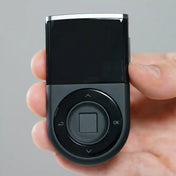
Heads up: DCENT's software wallet app was recently hacked. DCENT says their hardware wallets were not affected by the breach. Recommendation paused for now while the situation develops.
DCENT Biometric has a fingerprint sensor built into the device itself, the only wallet on this list with that feature. It also has a screen, connects via Bluetooth and USB-C, and works on both mobile and desktop. The standout use case is XRP: DCENT has had native XRP support longer than most wallets here. Firmware is proprietary. At $109 it sits in a competitive bracket, but the fingerprint plus screen combination is unique. Security 84 | Ease of Use 90 | Compatibility 88 | Value 82.
How to Choose a Hardware Wallet
Only use what you fully understand
A hardware wallet only protects you if you know how to use it correctly. If seed phrases or recovery feel unclear, start with something simpler. Misusing an advanced wallet is a more common cause of lost funds than getting hacked.
Then look at security
Look at the company's track record: how they have handled past incidents, how transparent they are about their hardware and firmware, and whether the wallet uses a dedicated secure element chip. A clean history and honest disclosure matter more than marketing claims.
Match it to how you actually use crypto
Check which coins and networks the wallet supports. Beyond that, think about the features you will actually use: touchscreen or physical buttons, DeFi access, staking, gas management, or special security features like passphrase support or seedless backup.
Hardware wallet comparison FAQ
What is a hardware wallet and how is it different from an app wallet? ▼
Do I need a seed phrase, or are seedless wallets safe? ▼
Is open source more important than a secure element? ▼
Which hardware wallet works best with iPhone? ▼
Which hardware wallet is the safest on this list? ▼
Who actually needs a hardware wallet? ▼
Affiliate disclosure: This page contains affiliate links. If you buy through them, I may earn a small commission at no extra cost to you. Rankings are based on independent testing. No wallet pays to be included or ranked higher.